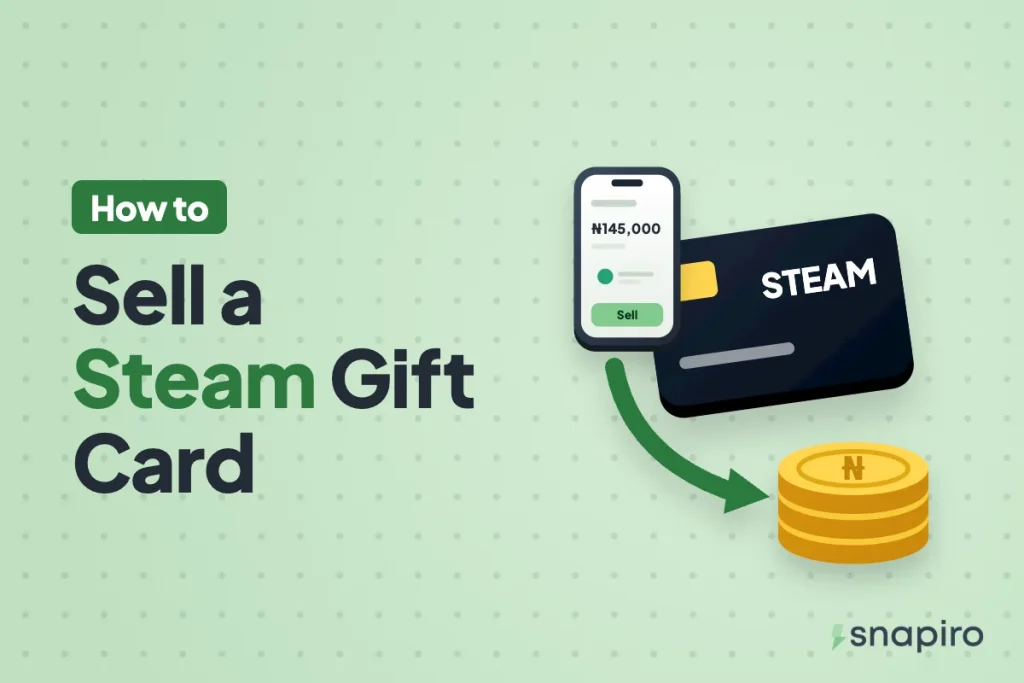
Open the Snapiro app, tap Sell a gift card, choose Steam, pick the Country and Card type, enter the Card value, add photos (and the code under E-codes or notes), and tap Submit card.
Once the team approves the card, the naira goes into your naira wallet and you can send it to your bank. The steps themselves only take a few minutes on your phone.
Getting the country and type right, and not touching the code before you sell, is what gets you paid in full. This guide goes through both, then the steps and the reasons cards get declined.
Which Steam cards you can sell
Snapiro takes both Steam e-codes (digital wallet codes) and physical Steam cards. The Steam gift card page lists the countries currently accepted, including cards from the US, UK, Canada, Australia and Europe, with today’s rate for each country and type.
Every Steam card is tied to a currency. A US card is in dollars, a UK card in pounds, a European card in euros. You must choose the country that matches the card, because each one has its own rate and a mismatch gets the trade declined.
One thing that isn’t sellable: a Steam Digital Gift Card that a friend sends straight to your Steam account. That kind lands in your Steam wallet when you accept it, so there’s no code to trade. Only a code or a physical card you haven’t redeemed can be sold.
What you need before you start
- The Snapiro app on Android or iPhone. Selling a gift card needs no PIN and no verification.
- The unused card. For a physical card, scratch the code panel gently. For an e-code, have the email or receipt showing the code and amount.
- Good photos. Clear, sharp, in daylight, all four corners in the frame. See how to take a clear gift card picture.
- The receipt, if you have one. It’s not compulsory, but it helps the check go smoothly.
How to sell a Steam gift card on Snapiro, step by step
- On the home screen, tap Sell a gift card and choose Steam. The search box finds it quickly.
- Under Country, pick the card’s country, for example United States or United Kingdom.
- Under Card type, pick the Card type that matches your card.
- In Card value, enter the total face value of all the cards you’re uploading. The rate and naira estimate update as you type.
- For an e-code, type the full code in E-codes or notes, one code per line if you have several. Add anything the team should know.
- Upload clear photos of each card (front and back for physical) or a screenshot of the e-code, plus the receipt if you have it. JPEG, JPG and PNG work.
- Tap Submit card.
The trade shows as Pending under the Gift cards tab in Activity while the team checks it. You get a notification when it’s approved, with the naira amount credited, or declined, with the reason. The full process is also in the help guide on how to sell a gift card.
How much naira you get
Your payout is the card’s face value multiplied by the rate for that country and type. As an example only: if the app showed ₦700 per dollar and you sold a $50 US card, you’d get 50 × ₦700 = ₦35,000. The real rate is on the Steam rates page and on the sell screen before you submit.
If the team finds the card’s real balance is lower than what you entered, say part of it was spent, you’re paid for the confirmed value at the same rate. More detail is in how your gift card payout is calculated.
Physical Steam cards are being phased out
In June 2026, Valve said it was ending physical Steam gift cards at retail stores because of gift card scams, and won’t restock them as shops sell out. Cards already bought stay valid and redeemable, so a physical card you hold can still be sold. Steam’s digital gift cards, bought directly on Steam, continue.
In practice, you’ll see fewer physical Steam cards over time. If someone offers you a “new” physical card well after shops have run out, be careful about where it came from.
Why Steam cards get declined
- Already redeemed. The code was used before the check, sometimes by the person who gave it to you.
- Wrong country or type. A UK card submitted as US, or a physical card submitted as an e-code.
- Unreadable. A blurry photo or a code panel scratched too hard.
- Missing code for an e-code, or a card that was never activated at the till.
- Duplicate. The same card uploaded twice.
If the card wasn’t used and the problem was the details, fix them and submit again. The full list is in why a gift card gets declined.
Don’t redeem the code “to check it”
There’s no way to check a Steam code’s balance without adding it to a Steam account, and once it’s added, the money is in that wallet and the code is spent. Keep the code untouched until you sell it.
Be wary of anyone who asks you to send a Steam code first and promises to pay after. Valve’s own support pages say that being asked to pay someone with Steam gift cards is a sign of a scam. Selling inside the Snapiro app means the card goes through the app, not to a stranger. Watch out for scammers who pose as Snapiro staff too.
Getting the naira to your bank
Approved naira sits in your naira wallet. To withdraw, verify your BVN and add a bank account in your name; any bank or wallet on NIBSS works, including OPay, Kuda, Moniepoint and PalmPay. The minimum is ₦1,000, each withdrawal costs ₦200, and it’s sent within 60 seconds of your request. If you don’t know your BVN, here’s how to retrieve it.
You can also leave it in the app and pay for airtime, data, electricity or TV from your naira balance, with 1% cashback.
Common questions
Can I sell several Steam cards in one trade?
Yes, if they’re the same country and type. Enter the combined face value as the Card value, upload every card, and list each e-code on its own line.
Is a European Steam card the same as a UK card?
No. A UK card is in pounds and a European card is in euros, and the rates differ. Pick the option that matches the currency printed on the card or shown with the code.
Which other gift cards can I sell?
Right now Snapiro accepts Steam, Google Play and Apple (iTunes) cards. Other brands aren’t accepted.
How long does approval take?
The card is checked after you upload it, and clear photos with the right country and type are the quickest to get through. You’re notified the moment it’s approved.
Check today’s rate on the gift cards page first, then download Snapiro to sell your Steam card.