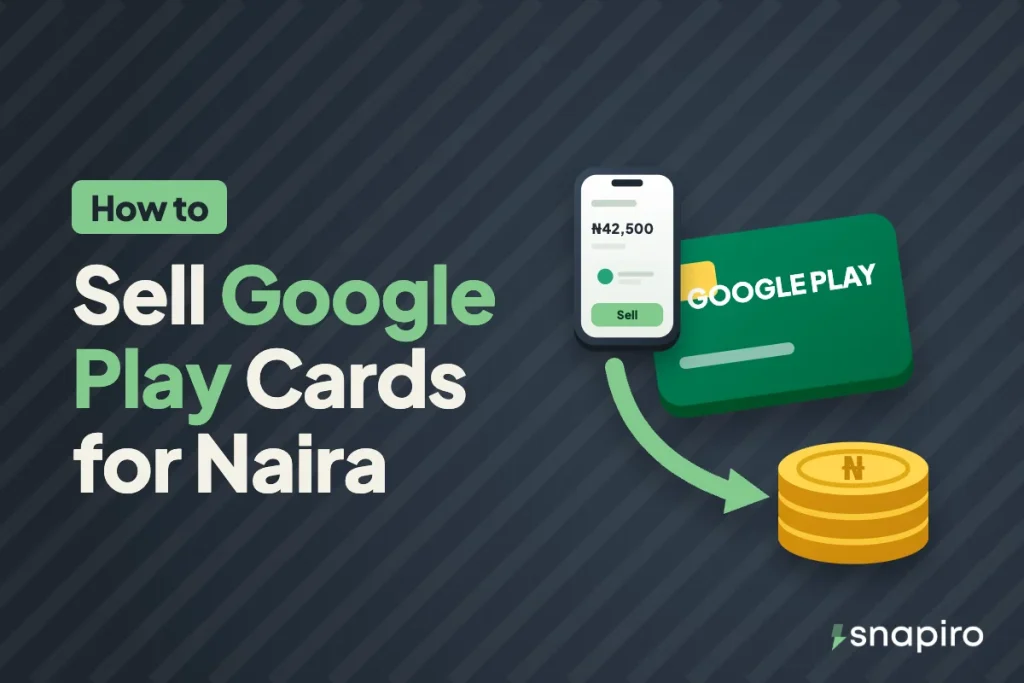
Upload the card in the Snapiro app, choose its country and type, and wait for the team to check it. That’s all it takes to turn a Google Play card into naira here in Nigeria.
Once the card is approved, the naira goes into your naira wallet. From there you can withdraw it to your bank or spend it on bills, whichever you need at the time.
That’s the short version. The details below are what decide whether your trade gets approved quickly, gets paid at the right rate, or gets declined, so they’re worth a few minutes before you upload.
Why people sell Google Play cards instead of using them
A Google Play card only works in the country where it was bought. Google’s own help pages say a gift card can’t be redeemed outside its country of purchase, so a US card sent to you in Lagos won’t load onto a Nigerian Google account.
Even when it does work, the balance can only be spent on Google Play: apps, games, in-app purchases, films and books. (It’s one of several cards people use for streaming films and music.) If what you actually need is money for rent, data or school fees, selling the card for naira makes more sense than letting it sit in an email.
What you need before you start
- The Snapiro app on Android or iPhone. You can download it here and sign up with your email.
- The card itself. For a physical card, that’s the plastic card with the code scratched gently into view. For an e-code, it’s the email, text or app screen showing the code and amount.
- The receipt, if you have one. It isn’t always required, but it helps the team confirm the card.
- The country the card was bought in. Check the currency printed on the card or shown in the email (USD, GBP, CAD and so on).
You don’t need a PIN or any verification to sell a gift card. You will need a verified BVN later, when you want to move the naira to your bank. Here’s what you can do before verifying.
How to sell a Google Play gift card on Snapiro, step by step
- On the home screen, tap Sell Giftcard and choose Google Play.
- Under Choose Currency, pick the country or currency of the card. A UK card is GBP, a US card is USD.
- Under Choose Type, pick e-code or physical.
- In Total Amount, enter the face value of the card. If you’re uploading several cards of the same kind, enter their combined value. The rate and naira total update as you type.
- For an e-code, type the full code in User Remarks. Put each code on its own line if you have more than one.
- Upload clear photos of each card, plus the receipt if you have it. JPEG, JPG and PNG files work.
- Tap Proceed.
Your trade then shows as Pending under the Giftcard tab in History while the team checks it. You get a notification when it’s approved, with the naira amount credited, or declined, with the reason. The Help Centre guide to selling a gift card has the same steps with screenshots of each field.
How your naira payout is worked out
Your payout is the card’s face value multiplied by the rate for that card, country and type. A US e-code and a US physical card can have different rates, and a UK card is priced per pound, not per dollar.
Here’s an example with a made-up rate. If the app shows ₦850 for your card and you’re selling a $50 card, the estimate is 50 × ₦850 = ₦42,500. Rates change with demand, so check the current figure on the Google Play gift card page or in the app before you upload.
If the card’s real balance turns out lower than what you entered, for example because some of it was already spent, you’re paid for the confirmed value at the same rate. More on how gift card payouts are calculated.
E-code or physical card: picking the right type
An e-code is a code you got by email, text or inside an app, with no plastic card. A physical card is the one bought off a shelf with a scratch panel on the back. Choosing the wrong type is one of the common reasons a trade gets declined, so if a friend abroad bought a physical card and sent you a photo of it, it’s still a physical card.
For an e-code, upload a screenshot of the email or receipt that shows the code and amount. For a physical card, photograph the front and back with every character of the code readable. The e-code vs physical guide explains what to upload for each.
Why Google Play cards get declined
Most declines come down to a handful of avoidable problems:
| Reason | How to avoid it |
|---|---|
| Already redeemed | Don’t load the card on any Google account before you sell it |
| Unreadable | Scratch gently and take a sharp photo in good light |
| Wrong type or currency | Match the country on the card and choose e-code or physical correctly |
| Missing code | Type every e-code in User Remarks |
| Invalid card | Only sell cards bought by you or someone you trust, ideally with the receipt |
| Duplicate | Upload each card once, and don’t sell it on another app at the same time |
If your card was declined for a fixable reason, like a blurry photo, and the card hasn’t been used, you can submit it again with the right details. Why a gift card gets declined, and what to do next.
Avoid the “send me the code” trap
Google says its gift cards can only be used on Google Play, and that anyone asking you to buy a card and share the code could be running a scam. In Nigeria the usual version is a stranger on WhatsApp or Instagram who offers a high rate, asks you to send the code first, and promises to pay after “checking”. Once you share the code, the balance can be spent in seconds.
Selling inside an app removes that problem, because you’re not trusting an individual buyer. Still, keep the code private until you upload it, and remember Snapiro staff will never ask for your PIN or password. How to spot people pretending to be Snapiro support.
Getting the naira to your bank
Once the card is approved, the naira sits in your naira wallet. To cash out, verify your BVN, add a bank account in the same name, and withdraw. Any bank or wallet on NIBSS works, including OPay, Kuda, Moniepoint and PalmPay. The minimum is ₦1,000, the fee is ₦200 per withdrawal, and it’s sent within 60 seconds of your request. Step-by-step withdrawal guide.
You can also leave it in the app and pay for airtime, data, electricity and TV from the same balance, with 1% cashback on each payment. All Snapiro charges are on the fees page.
Questions people ask
Can I sell a Google Play card someone sent me from abroad?
Yes. Choose the country the card was bought in, not Nigeria, then enter the value and upload the photo or e-code.
Which Google Play cards does Snapiro accept?
The Google Play page lists every country and card type currently accepted, with today’s rate for each. You can also sell Apple (iTunes) and Steam cards on Snapiro.
Should I check the balance before selling?
Don’t redeem the card or check it on a shared account first. A card that has been loaded onto an account counts as used and will be declined.
Can I sell part of a card that was partly used?
Enter the remaining balance as the amount. The team confirms the real value, and you’re paid for what’s confirmed.
Got a card waiting in your email? Check the current rate on the gift cards page and upload it in the Snapiro app.