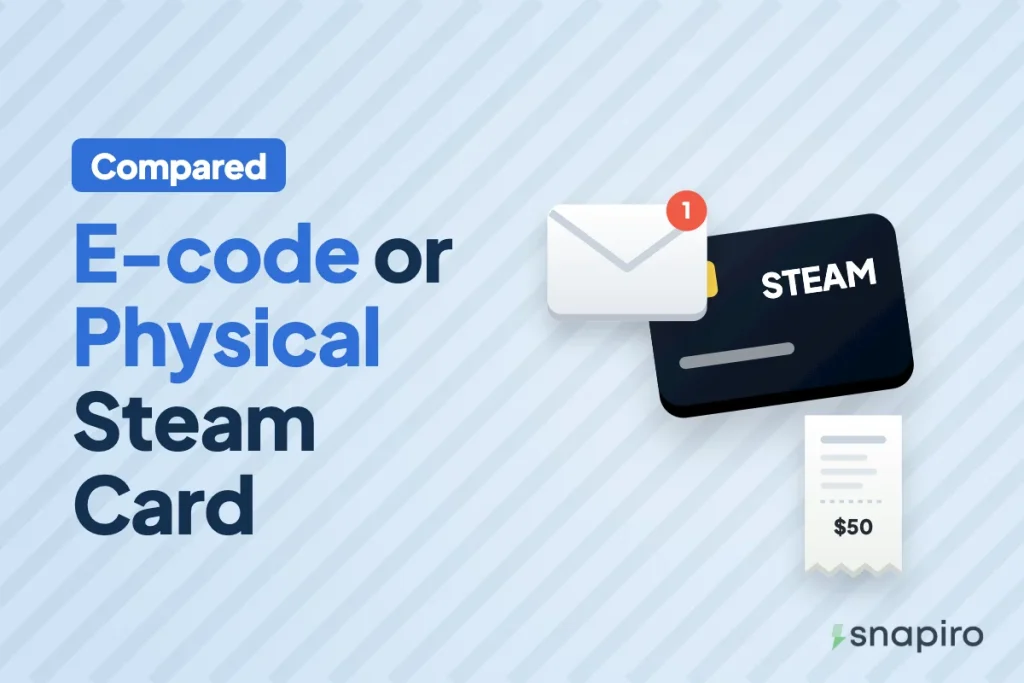
You don’t really choose between a Steam e-code and a physical card when you sell. You pick the type your card already is, and the wrong one gets the trade declined, whatever the rate says.
A physical card was bought in a shop and has a scratch-off code. An e-code is a code that arrived by email, text or inside an app. Pick the matching type in the app when you upload.
The real choice comes earlier, if someone abroad is getting a card for you to sell. That’s where the type affects how easy the trade is, and since June 2026 there’s a new reason to think about it.
How to tell which type you have
| Physical card | E-code | |
|---|---|---|
| Where it came from | A shop shelf, paid at the till | Bought online, delivered by email, text or app |
| What you hold | A plastic or paper card with a scratch panel | A code on a screen, often with a receipt email |
| What you upload | Clear photos of the front and back, plus the receipt if you have it | A screenshot of the email or receipt showing the code and amount |
| Where the code goes | Visible in the photo | Typed under E-codes or notes |
A photo of a physical card that a cousin sent you on WhatsApp is still a physical card. The type follows how the card was bought, not how the picture reached you.
What isn’t either: Steam Digital Gift Cards
Steam also sells digital gift cards that one person sends straight to another’s Steam account. Those add money to the recipient’s Steam wallet. There’s no code to hand over, so they can’t be sold as an e-code. If a relative abroad wants to send you something to sell, this is the option to steer them away from.
Does the type change the Steam rate?
It can. On Snapiro each Steam country has a rate per type, and the app shows the rate for whichever type you pick before you submit. A country may be listed for only one type. The Steam gift card page shows every country and type that’s currently accepted with today’s rate.
Rates move with demand, so look at both lines for your country on the day. Country, type and value each move the naira figure; see how Steam gift card rates work.
Physical Steam cards are on the way out
On 10 June 2026, Valve said it was ending physical Steam gift cards at retail stores because of scams, and that it won’t restock shops as they sell out. Any physical card already bought stays valid and redeemable, so if you have one, you can still sell it. Steam’s digital gift cards, bought directly from Steam, carry on.
What this means for you: physical Steam cards will get harder to find over time. If someone offers you a “fresh” physical card long after shops have emptied, ask where it came from, and treat a missing receipt with more suspicion.
Selling a Steam e-code
- Tap Sell a gift card, choose Steam, pick the card’s Country, and choose the Card type that matches an e-code.
- Enter the total face value as the Card value.
- Type the full code under E-codes or notes, one per line if you have several. Copy and paste it if you can, so no character gets mistyped.
- Upload a screenshot of the email or receipt showing the code and amount, then tap Submit card.
The most common e-code mistake is leaving E-codes or notes empty. Without the code, the team has nothing to check and the trade is declined as “missing code”.
Selling a physical Steam card
- Scratch the code panel gently with a coin edge or fingernail until every character shows. Too hard and you rub off part of the code.
- Tap Sell a gift card, choose Steam, pick the Country, and choose the Card type that matches a physical card.
- Enter the face value, then upload a clear photo of the front and back, plus the store receipt if you have it.
- Tap Submit card.
Unreadable photos are the main reason physical cards fail. Shoot in daylight, flat on a plain surface, with all four corners in the frame. Small details count, so follow these tips for taking a clear gift card picture.
If someone abroad is getting a card for you
This is the one time type is a real decision. Ask them to:
- Buy from a known retailer and keep the receipt. A receipt that matches the card helps the check.
- Send a code you can type out, or clear photos of both sides of a physical card with the receipt, not a Steam Digital Gift Card to your account.
- Tell you the card’s country and currency, so you choose the right one in the app.
- Not redeem or “test” the code on their own Steam account first. Once a code is added to any account, it’s spent.
Rules that apply to both types
- Don’t sell the same card anywhere else at the same time. Whoever redeems first gets the value, and the other trade fails.
- Sell only cards you bought or got from someone you trust. Cards bought with stolen payment details are often cancelled by the issuer.
- No PIN or verification is needed to sell a gift card on Snapiro.
For the general version that covers all three accepted brands, see the help guide on e-code vs physical gift cards. If a trade fails, here’s why gift cards get declined.
Your questions, answered briefly
Can I sell Steam e-codes and physical cards in one trade?
No. The type is chosen per trade, so submit them separately.
Do I need a receipt?
It isn’t required, but upload it when you have it. A receipt that doesn’t match the card is one reason a trade can be declined, so make sure it’s the right one.
Is a Steam wallet code the same as an e-code?
Yes. A digital Steam wallet code is sold on Snapiro as an e-code.
Will my physical card stop working after the phase-out?
Valve said cards already bought remain redeemable, subject to local laws. The change stops new cards reaching shops; it doesn’t cancel existing ones.
Once you know your type, the step-by-step guide to selling a Steam card takes you through the rest, or you can get the Snapiro app and submit it now.