
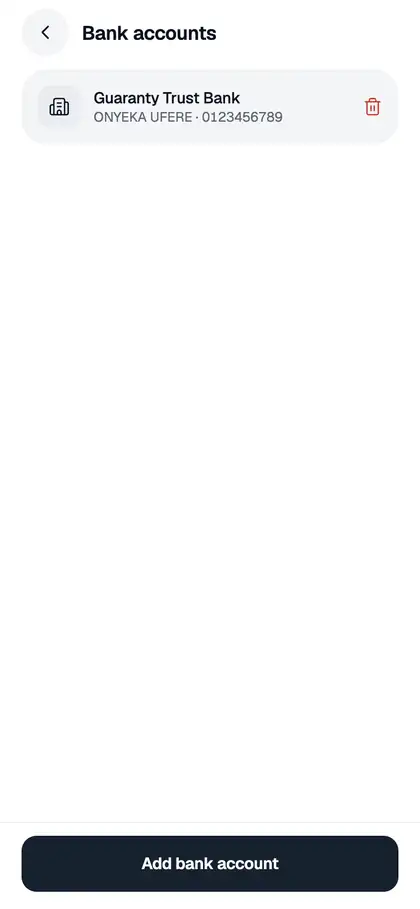
You can’t edit a saved bank account. To change one, remove it and add the correct account again. Both happen under Me › Bank accounts.
Remove a bank account
- Tap the Me tab, then Bank accounts.
- Tap the trash icon next to the account.
- On “Remove this account?”, tap Remove.
Change to a different account
- Remove the old account as shown above.
- Tap Add bank account, pick the bank and enter the 10-digit number.
- Check the account name that appears and tap Add account.
You need to be on Tier 2 to add an account, and it must be in your verified name. Our guide on adding a bank account has the details.
“We couldn’t confirm … is in your name”
If a bank account was saved before Snapiro started checking account names, your first withdrawal to it may show “We couldn’t confirm <bank> <number> is in your name. Delete it and add your account again.” Remove that account and add it again. The app then looks up the name with the bank, and you can withdraw as normal.
If the name still doesn’t match, see bank account name must match your verified name.
