
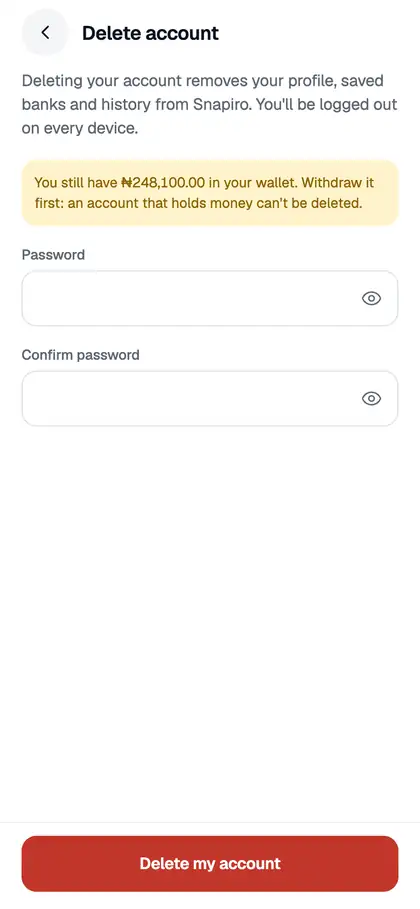
You can delete your Snapiro account yourself under Me › Delete account. Before you can, your wallets must be empty and nothing can still be in progress. Deleting can’t be undone.
Before you start
The app blocks deletion while you still have money or open items. You’ll see “Before deleting your account, withdraw or use…” followed by what’s left. That can include:
- Naira in your naira wallet
- A cashback balance
- Crypto in any of your wallets
- Ambassador earnings
- A withdrawal that is still processing
- A gift card still under review
- A bill payment still being confirmed
- A deposit that hasn’t been confirmed yet
Withdraw or use what’s left, wait for anything pending to finish, then try again. See how to withdraw naira.
Steps
- Tap the Me tab and scroll down to Delete account.
- Enter your password in both fields.
- Tap Delete my account.
- On “Delete your account?”, confirm with Delete.
What happens next
- Your profile, saved bank accounts and PIN are removed, and you’re logged out on every device.
- We email you “Your Snapiro account was deleted”.
- We keep records of your past transactions, as required.
- Your BVN and NIN are freed, so they can be used on a new account later.
If your account is on hold, you’ll see “This account is on hold. Please contact support.” See your account is on hold.
