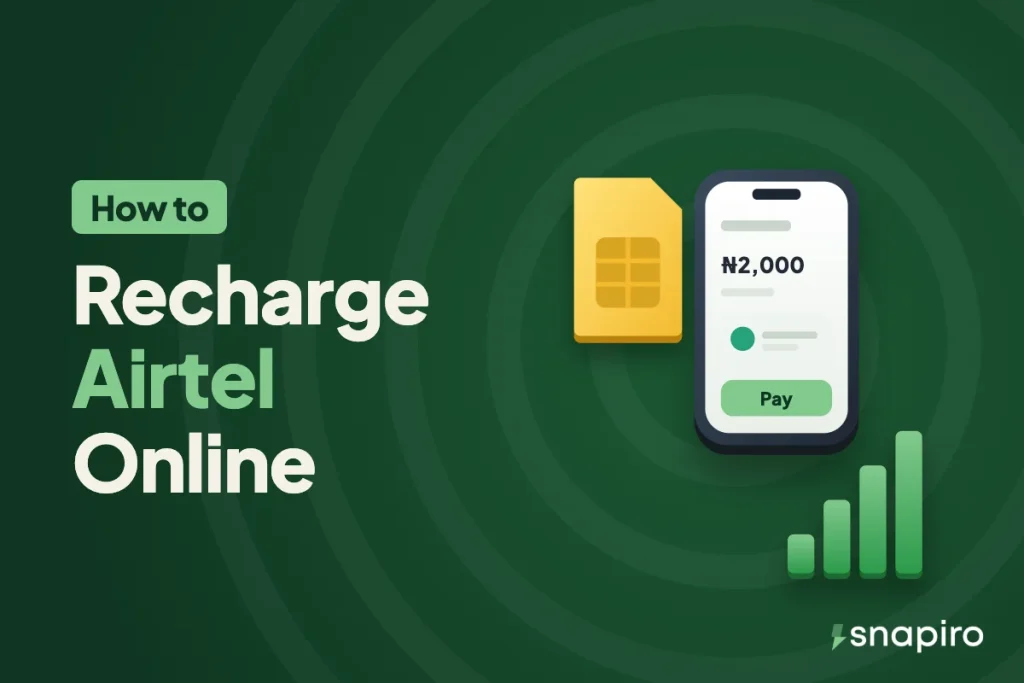
You can top up any Airtel line from your phone in under a minute, and the line doesn’t have to be yours. A friend, a parent or a second SIM all work the same way.
Airtime and data both come out of your Snapiro naira balance, you confirm with your PIN, and you get 1% back on every top-up. There’s no service charge on top of the price shown.
Below are the exact steps for airtime and for data, how to top up a parent or friend’s line safely, the Airtel codes worth knowing, and what to do when a recharge doesn’t show.
What you need first
- The Snapiro app with an account. You don’t need to verify your BVN to pay bills, so a brand new account can recharge straight away, up to ₦20,000 a day.
- A transaction PIN, which you set once and use to confirm every payment.
- Naira in your balance. You can add money to your naira wallet from ₦500 with no Snapiro fee, or sell crypto or a gift card and use the naira from that.
If you’re holding USDT, sell it first and the naira lands in your balance immediately. The rate and the networks are explained in selling USDT for naira. Gift card holders can do the same with a Google Play card, though gift card payouts wait for the card to be checked and approved.
How to buy Airtel airtime online
- On the home screen, tap Airtime.
- Under Provider, choose Airtel.
- Enter the 11-digit phone number. It can be yours or anyone else’s.
- Enter the amount.
- Tap Pay and enter your PIN.
When the screen says Payment successful, the airtime has gone to the line. You also get an “Airtime Purchase Successful” notification, and 1% of the amount goes into your cashback balance. The airtime help article has screenshots of each step.
How to buy an Airtel data plan
Data works the same way, except you pick a bundle instead of typing an amount.
- Tap Data on the home screen.
- Choose Airtel under Provider.
- Under Plan, pick the bundle. The price fills in by itself.
- Enter the phone number, tap Pay and enter your PIN.
Plans and prices come from Airtel and change when Airtel changes them, so the app always shows the current price before you pay. You can see every bundle on our Airtel airtime and data page before you even open the app.
Read the plan name properly. The list includes daily, weekly and monthly bundles, night plans that only work in set hours, social plans tied to certain apps, and bundles marked MiFi Only or Router Only. A router plan bought for a phone line is money you can’t get back, because data sent to a line can’t be moved. The data help article explains what to do if a plan is slow to show.
Recharging someone else’s Airtel line
This is where most people use it: mum in the village needs credit, a sibling in school has run out of data, or you’re paying a staff member’s phone allowance. You just type their number in step 3.
Two checks save a lot of wahala:
- Confirm the network with the person. In Nigeria you can port a number from one network to another and keep it, so a number that started on MTN may be on Airtel now, and the other way round. The first four digits don’t prove anything.
- Read the number back before you pay. Airtime or data sent to the wrong number can’t be reversed, by Snapiro or by the network.
Doing this every month for family? Put it in your plan. Give phone top-ups their own line in a monthly budget so they stop eating into food money.
Airtel codes worth saving
The Nigerian Communications Commission (NCC) gave every network the same short codes for common services, so these work on Airtel and on the other networks too. The full list is on the NCC consumer portal.
| What you want | Dial |
|---|---|
| Check airtime balance | *310# |
| Check data balance | *323# |
| Data plans menu | *312# |
| Load a recharge card | *311# |
| Share airtime or data | *321# |
| Borrow airtime or data | *303# |
| Customer care | 300 |
Menus behind each code can change, and some older Airtel codes still work alongside them. If a code fails on your line, call 300 for the current one.
Paid, but the recharge isn’t showing
Start by dialling *310# or *323# on the receiving line. The network’s SMS sometimes arrives late even when the credit is already there.
Then open Activity in the app and tap the payment. The status tells you where it stands:
- Successful or Completed: Airtel accepted it. If the line still shows nothing after a few minutes, message support from the Support tab with the Snapiro reference from the receipt.
- Processing: Airtel hasn’t confirmed yet. Wait, and don’t pay again, or you may pay twice.
- Failed: the full amount goes back to your naira wallet automatically. You don’t need to ask.
More detail is in bill payment failed: will I get a refund? and the guide to transaction statuses.
How the 1% cashback adds up
Every successful airtime or data purchase earns 1% back. As an example, a family that spends ₦20,000 a month on Airtel credit and data earns ₦200 a month. It sits in a separate cashback balance, and once it reaches ₦5,000 you can move the whole lot to your naira wallet and spend or withdraw it.
Electricity and TV earn the same 1%, so the balance grows faster if you also pay DStv or your power bill from the app. Failed and refunded payments don’t earn cashback. See how cashback works for the details.
FAQs
Is there a service charge on Airtel recharge?
No. You pay the amount you enter for airtime, or the price shown for a data plan, and nothing extra.
Do I need to verify my account to buy Airtel airtime?
No. Paying bills and adding money work before you verify, with bills capped at ₦20,000 a day. A verified BVN or NIN lifts that cap and lets you sell crypto, add a bank account and withdraw.
Can I recharge MTN, Glo or T2 (formerly 9mobile) the same way?
Yes. The steps are identical; you just pick the network under Provider. See the pages for MTN, Glo and T2.
I sent airtime to the wrong number. Can it be reversed?
No. Once the network accepts a recharge, it belongs to that line. Your best option is to ask the owner of the number to share it back with *321#.
Your next top-up can earn you something back: get the Snapiro app and recharge any Airtel line from the pay bills screen.