USDT is the coin most Nigerians end up holding. Freelancers get paid in it, traders park profits in it, and relatives abroad send it because it moves in minutes and keeps its dollar value.
The hard part is turning it into naira without losing money along the way. A poor rate, the wrong network or a buyer who never pays can cost you far more than any fee.
This guide walks through the whole process on Snapiro: how the rate is worked out, the network to pick, the steps from your wallet to your bank account, and what it costs from start to finish.
What you need before you start
- The Snapiro app on Android or iPhone, with an account. You can deposit and sell USDT before you verify anything.
- A transaction PIN. You set it in the app and use it to confirm every sale and withdrawal.
- A verified BVN, but only when you want to move naira to your bank. The bank account name must match the name on your BVN, or the account won’t be added. Here’s how to verify your BVN.
- USDT in a wallet or exchange, such as Binance, Bybit, OKX, Trust Wallet or MetaMask. If you keep coins in your own wallet, make sure it’s set up securely before you move money around.
How the USDT to naira rate works
USDT is a stablecoin, so Snapiro counts each one as $1. (New to the terms? Our beginner’s guide to cryptocurrency covers the basics.) The only number that moves is the naira rate, which the sell screen shows as naira per dollar, for example ₦1,450/$.
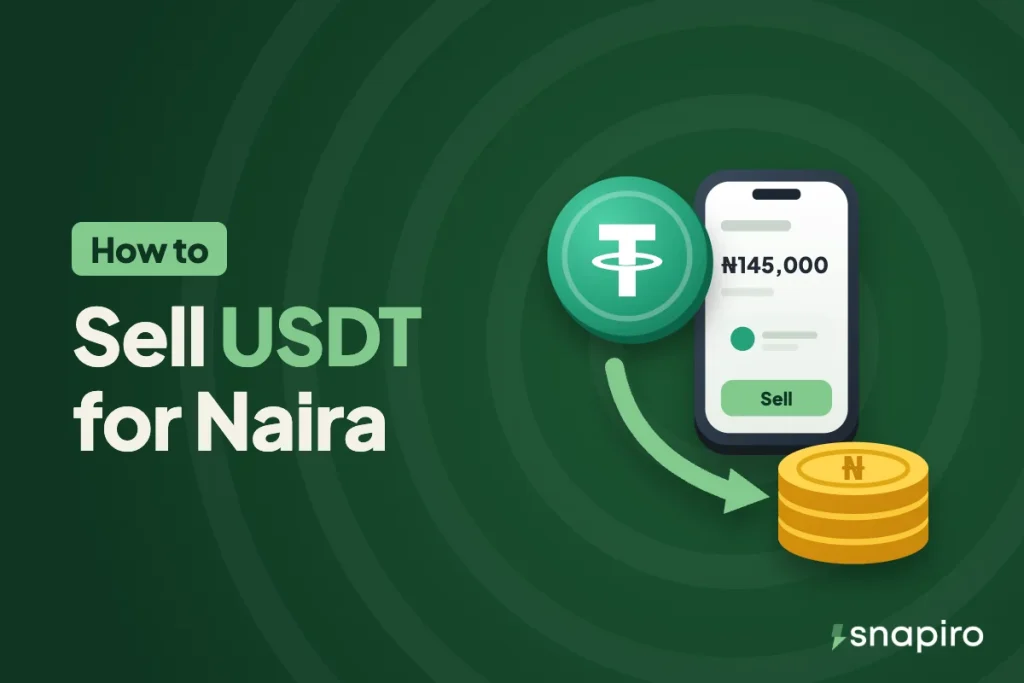
Your naira is simply the amount of USDT multiplied by that rate. At ₦1,450/$, 100 USDT gives you ₦145,000. That figure is only an example; the real rate changes through the day, and you can check it any time on the rate calculator without logging in.
Snapiro’s margin is already inside that rate. There’s no selling fee added afterwards, so the naira amount you see before you confirm is the amount that lands in your naira wallet. The rate is locked the moment you enter your PIN. More on how the sell rate is calculated.
A tip for comparing apps: don’t compare the headline rate alone. Compare the naira that actually reaches your bank after every fee, because a slightly higher rate with a bigger withdrawal charge can leave you with less.
Which network should you use?
USDT exists on several blockchains, and you have to send it on one Snapiro supports. These are the three:
| Network | Network fee | Good to know |
|---|---|---|
| TRC20 (Tron) | Low | The most common way to send USDT in Nigeria |
| BEP20 (BNB Smart Chain) | Low | Easy to send from Binance and Trust Wallet |
| ERC20 (Ethereum) | Higher | Widely supported, but gas fees cost more |
USDT on Solana, TON or any other network isn’t supported. Whatever you choose, the network in your sending wallet must match the network of your Snapiro address. Each network has its own address, so a TRC20 address and a BEP20 address for the same coin are different. Send on the wrong one and the coins may be lost for good. The full list is in which coins and networks Snapiro supports.
How to sell USDT for naira on Snapiro, step by step
1. Get your USDT deposit address
Open the Wallet tab and tap Deposit on USDT. Choose your network under Choose a Network. If no address shows yet, tap Create Wallet; you’ll get a “Wallet Created Successfully” notification within a few minutes, and the address and QR code will be waiting on the Deposit screen. You only do this once per network. Full guide to creating a deposit address.
2. Send the USDT from your wallet or exchange
Tap the copy icon next to your address, or scan the QR code from the other app. In your exchange or wallet, choose Withdraw or Send, paste the address, pick the same network and enter the amount.
Before you confirm, check the first and last few characters of the pasted address against the one in Snapiro. Some malware swaps copied addresses, and scammers send tiny amounts from look-alike addresses hoping you’ll copy theirs from your history. Always copy fresh from the Deposit screen. If you’re moving a large amount for the first time, a small test transfer is cheap insurance.
Keep the transaction ID (TxID or hash) your exchange gives you. Support will ask for it if anything goes wrong.
3. Wait for the network to confirm
Your USDT shows in your Snapiro wallet once the blockchain has confirmed the transfer. On a normal day that’s quick, but a busy network or a very low fee set by the sender can slow it down. There’s no minimum deposit, so any amount will reflect. If it’s taking long, read why a deposit hasn’t been credited.
4. Sell the USDT
On the home screen, tap Sell Crypto and pick USDT. Type the amount, or tap 25%, 50%, 75% or 100%. Check the rate and the naira figure, tap Proceed, then enter your PIN.
The naira lands in your naira wallet straight away. The sale shows as Completed in History, and you get a push notification and an email.
5. Withdraw to your bank
Selling and withdrawing are separate steps, so your naira can sit in the app until you need it. To cash out, add a bank account in your name (any bank on NIBSS works, including OPay, Kuda, Moniepoint and PalmPay), then withdraw. The minimum is ₦1,000 and each withdrawal costs ₦200.
Withdrawals are sent to your bank within 60 seconds of your request. If your bank or the interbank network is slow, often around month-end or public holidays, the credit can take longer to show. What to do if a withdrawal is taking long.
You don’t have to withdraw at all. The same naira balance pays for airtime, data, electricity and TV, with 1% cashback on each payment and no withdrawal fee.
What it costs from start to finish
There are only two charges, and only one of them is Snapiro’s.
- The network fee to send USDT. Your exchange or wallet charges it and it goes to the blockchain, not to Snapiro. Most exchanges take it from the amount you withdraw, so if you need exactly 100 USDT to arrive, add the fee on top.
- ₦200 per naira withdrawal to your bank.
Using the example rate of ₦1,450/$: 100 USDT arrives, you sell it for ₦145,000, and you withdraw everything. ₦144,800 reaches your bank. Every Snapiro charge is listed on the fees page.
Mistakes that cost people money
Picking a different network on each side. This is the most common and the most expensive. Sending ERC20 USDT to a TRC20 address can mean the coins are gone.
Sending a fake token. Scammers airdrop worthless tokens named “USDT” into wallets. Only genuine Tether USDT on a supported network will reflect. Anything else won’t be credited.
Releasing coins to a stranger first. On peer-to-peer deals, some buyers send fake payment alerts or ask you to release before their money has cleared. When you sell on Snapiro there’s no buyer to trust; you see the naira amount before you confirm and it’s credited when you do.
Sharing your PIN. Snapiro staff will never ask for your PIN or password. Learn to spot scammers who pretend to be support.
Selling a large amount of USDT
For sales of $20,000 or more, Snapiro’s high volume desk confirms your rate before you send, and pays the same hour. It charges the same fees as the app and can give you monthly statements for your records.
Questions people ask
Is there a minimum amount of USDT I can sell?
There’s no minimum deposit. To move naira to your bank, the minimum withdrawal is ₦1,000.
Can I sell USDT without verifying my BVN?
Yes. Depositing and selling don’t need verification. You need a verified BVN to add a bank account and withdraw. What you can do before verifying.
Which network is cheapest for sending USDT?
TRC20 and BEP20 usually cost far less than ERC20. The exact fee is set by the exchange or wallet you send from, so check it on their withdrawal screen.
How long does the whole thing take?
The deposit depends on the network confirming it. The sale itself is instant once you enter your PIN, and a naira withdrawal is sent to your bank within 60 seconds.
Can I withdraw to OPay or Moniepoint?
Yes. Any account on NIBSS works, including fintech wallets like OPay, Kuda, Moniepoint and PalmPay, as long as the account name matches your BVN name.
Ready to cash out? Get the Snapiro app, check today’s rate on the USDT page, and your first sale takes a few minutes.