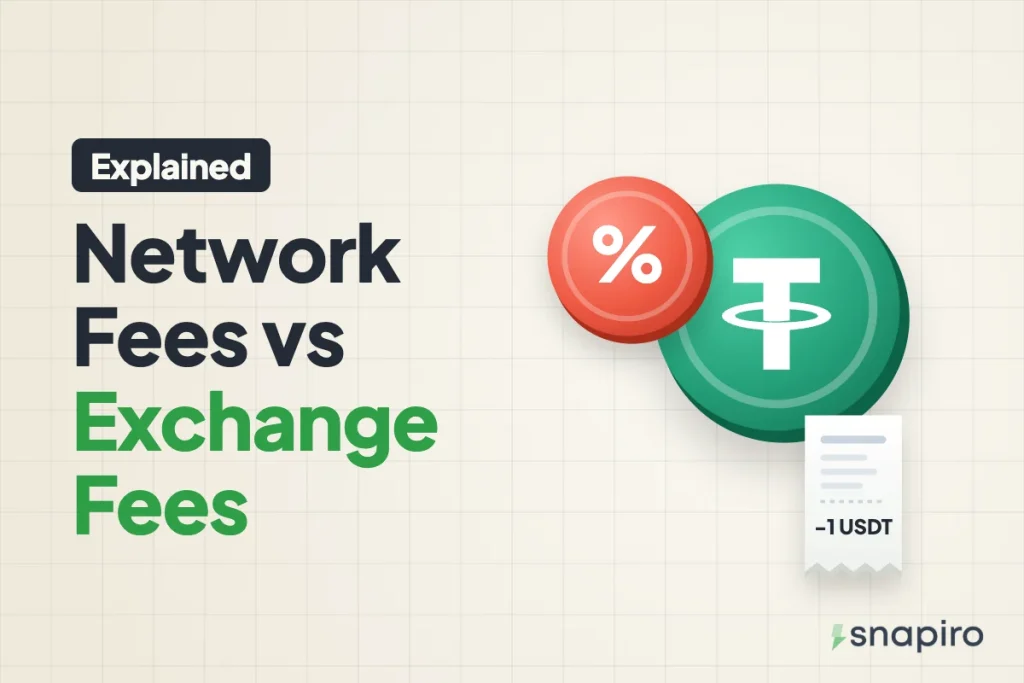
If you sent 100 USDT and only 99 arrived, the missing coin almost always went on the withdrawal fee, which your exchange took out of the amount before sending it.
That fee is partly the blockchain’s network fee and partly the exchange’s own charge, and on most exchanges you can’t tell the two apart. Personal wallets work differently: they charge the network fee in a separate coin.
So from a personal wallet, the full amount usually arrives. Here’s what each fee is, who keeps it, and how to make sure the amount you need actually lands where you sent it.
Network fees: what the blockchain charges
Every transfer on a blockchain pays a fee to the people who run the network (miners on Bitcoin, validators on most others). It isn’t charged by any company. How it’s worked out depends on the chain:
| Network | Fee is called | Paid in | What makes it go up |
|---|---|---|---|
| Bitcoin | Transaction fee (sat/vB) | BTC | A busy network and a bigger transaction |
| Ethereum (ERC20) | Gas | ETH | Network demand at that moment |
| BNB Smart Chain (BEP20) | Gas | BNB | Network demand, though it’s usually low |
| Tron (TRC20) | Energy and bandwidth | TRX (burned if you have no energy) | Token transfers use far more energy than plain TRX transfers |
One Tron quirk worth knowing: sending USDT to an address that has never held USDT before uses roughly twice as much energy as sending to one that has. If you send from your own Tron wallet, the first transfer to a fresh address can cost more than later ones.
Network fees go to the network, not to the exchange or to the app you’re sending to. They’re the reason ERC20 USDT usually costs more to move than TRC20 or BEP20. The TRC20 vs BEP20 vs ERC20 comparison goes into that choice. The crypto glossary explains terms like gas and confirmations.
Exchange withdrawal fees: what the platform charges
When you withdraw from Binance, Bybit, OKX and the like, you don’t pay the network directly. The exchange pays it and charges you a flat withdrawal fee per network, shown on the withdraw screen. That fee covers the exchange’s network costs and may include its own margin. It’s fixed by the exchange, usually doesn’t move with every block, and it’s changed from time to time.
Because it’s a flat amount, it hurts small withdrawals most. A 1 USDT fee is 10% of a 10 USDT transfer but 0.1% of 1,000 USDT. The withdraw screen also shows a minimum withdrawal for each network, which is often set above the fee.
Our exchange guides show where each platform displays its fee and the amount you’ll receive, for example sending USDT from Binance and from Gate.io.
Why you received less: the usual reasons
- The fee was taken from the amount. Most exchanges subtract the withdrawal fee from what you type. Type 100 USDT with a 1 USDT fee and 99 arrives. The withdraw screen normally shows a “receive amount” or similar figure; that’s the number that will land.
- You converted first. If you swapped one coin for another before withdrawing, the trading fee and the price spread reduced what you had to send.
- Part of it hasn’t arrived yet. If you made more than one transfer, one may still be confirming. Check each TxID on the explorer.
- The coin’s price moved. With BTC, ETH, BNB or TRX, the coin amount arrives in full, but its naira value may be lower than when you sent it. USDT doesn’t have this problem.
If the explorer shows the full amount reached the right address and it still hasn’t shown up, it’s a crediting question, not a fee. Check how long crypto transfers take to see where to look next.
Sending from a personal wallet
Trust Wallet, MetaMask, Exodus and hardware wallets don’t charge a withdrawal fee. You pay the network fee directly, in the chain’s own coin. Sending USDT on BEP20, for example, costs a little BNB, and the full USDT amount arrives.
The catch: you need that gas coin in the same wallet. Without TRX, you can’t move TRC20 USDT; without ETH, you can’t move ERC20 USDT. Some wallet apps add a small service fee on swaps, so read the confirm screen before you approve.
How to make sure the right amount lands
- Look at the fee for each network on the withdraw screen before you choose one.
- If you need an exact amount to arrive, add the fee on top of what you type.
- Combine small amounts into one transfer instead of several, since each one pays the flat fee.
- Don’t let a cheaper network tempt you into sending on one the receiver doesn’t support. A small saving isn’t worth losing the coins. See how to send crypto without mistakes.
What Snapiro charges on the way to naira
Snapiro doesn’t charge you to receive crypto, and there’s no minimum deposit. Whatever arrives is what you can sell. There’s no separate selling fee either; Snapiro’s margin is inside the rate, so the naira amount you see before confirming is what you get. You can check it on the rate calculator without logging in.
The one fixed charge is ₦200 per naira withdrawal to your bank. If you ever send crypto out of Snapiro to an external wallet, the network fee is charged in the coin, shown before you confirm and taken from the amount, so the same “you receive less” rule applies there. Details are in crypto withdrawal fees and requirements, and every charge is on the fees page.
An example with made-up figures: you withdraw 101 USDT from an exchange that charges a 1 USDT fee, so 100 USDT reaches Snapiro. At ₦1,450/$ you sell for ₦145,000 and withdraw, and ₦144,800 lands in your bank. The full walkthrough is in how to sell USDT for naira.
Frequently asked questions
Why does Binance charge more than the actual network fee?
Exchange withdrawal fees are set by the exchange and stay fixed for a while, so they can differ from what the network is charging at that moment. Compare networks on the withdraw screen to find the cheapest one your receiver supports.
Does Snapiro take a fee when I deposit crypto?
No. Snapiro charges no deposit fee and no separate selling fee. The only fixed charge is ₦200 per naira withdrawal.
Can I get the fee back if I sent the wrong amount?
No. Network fees are paid to the network once the transfer goes through, and exchanges don’t refund withdrawal fees on completed transfers.
Once your coins land, see what they’re worth today on the USDT page.