Login and Account
 2FA & Security
 KYC
KYC Trade
Trade Transaction
 Wallet
Here is how you can download the Snapiro mobile app on Android and iOS devices.
For Android Devices
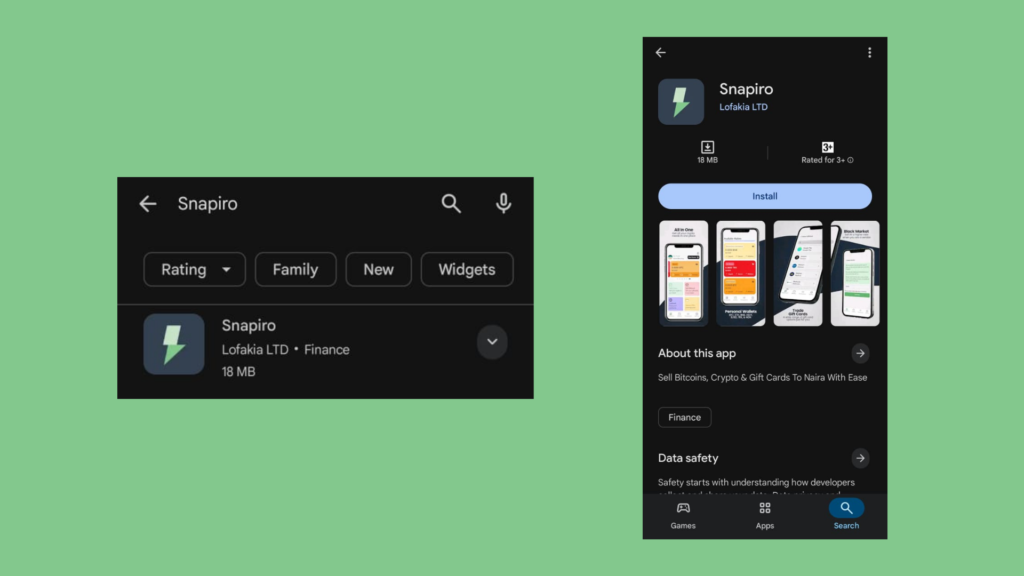
For our users using Android devices, here is a simple guide on how to download the Snapiro app from the Google Play Store. Open the Play Store and search for “Snapiro.” Once the app appears in the search results, as shown in the image below, tap on the Install button to download and install the app on your device.
For IOS Devices
For our users using iOS devices, here is a simple guide on how to download the Snapiro app from the Apple Store.
Open your App Store and search for “Snapiro: Transact in a Snap” Once the app appears in the search results, tap on it. You will be taken to the app’s page, where you can review the details and then proceed to download the Snapiro app to your device.